
Pakaya
Track your investment portfolio privately, even when you're offline.
How to install an APK
- Tap Download APK, download the .apk file, and open it when it finishes.
- If Android asks, allow your browser to install unknown apps. The permission covers only that browser.
- Tap Install. Updates come from this page the same way.
For AndroidHow your data is handled
- Free
- No ads, no tracking
- No account
- Data stays on your device
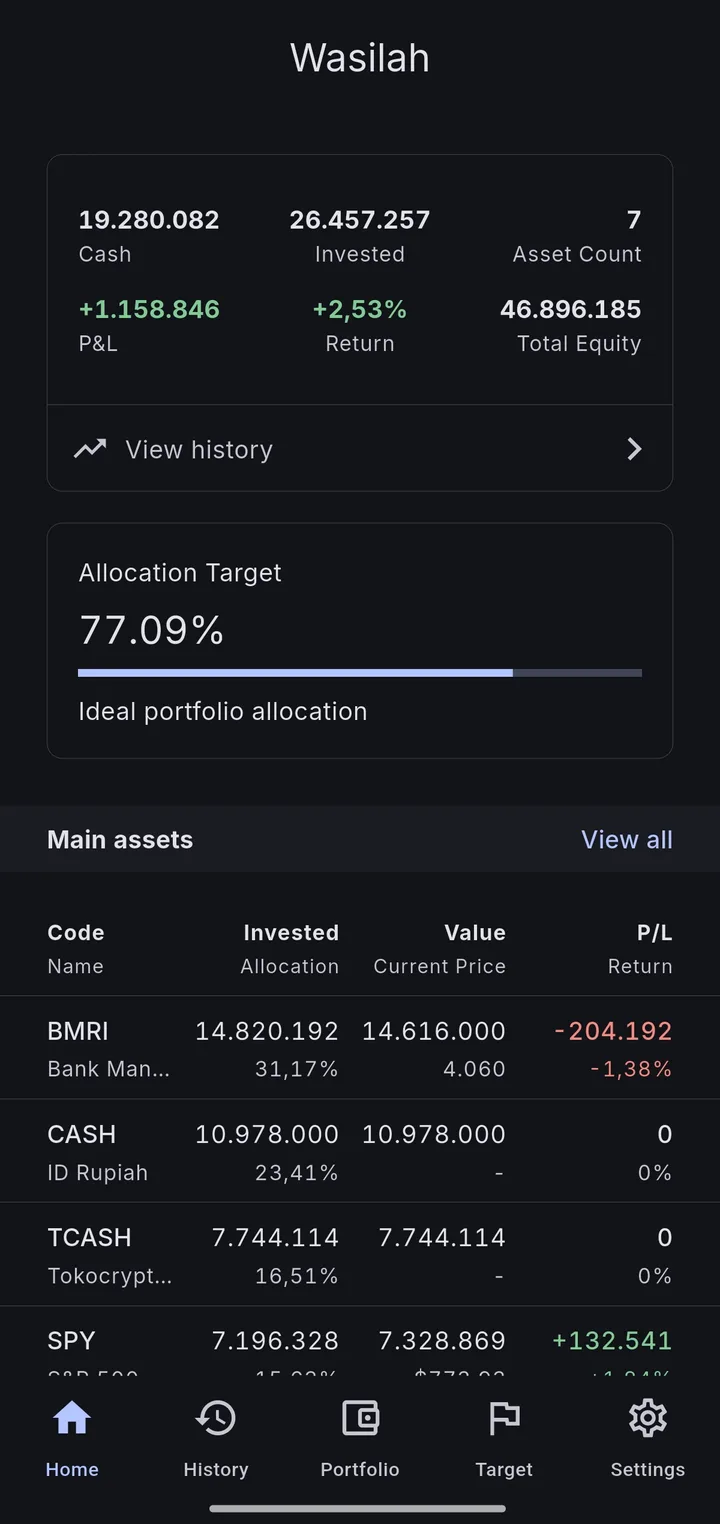
Everything you own on one screen 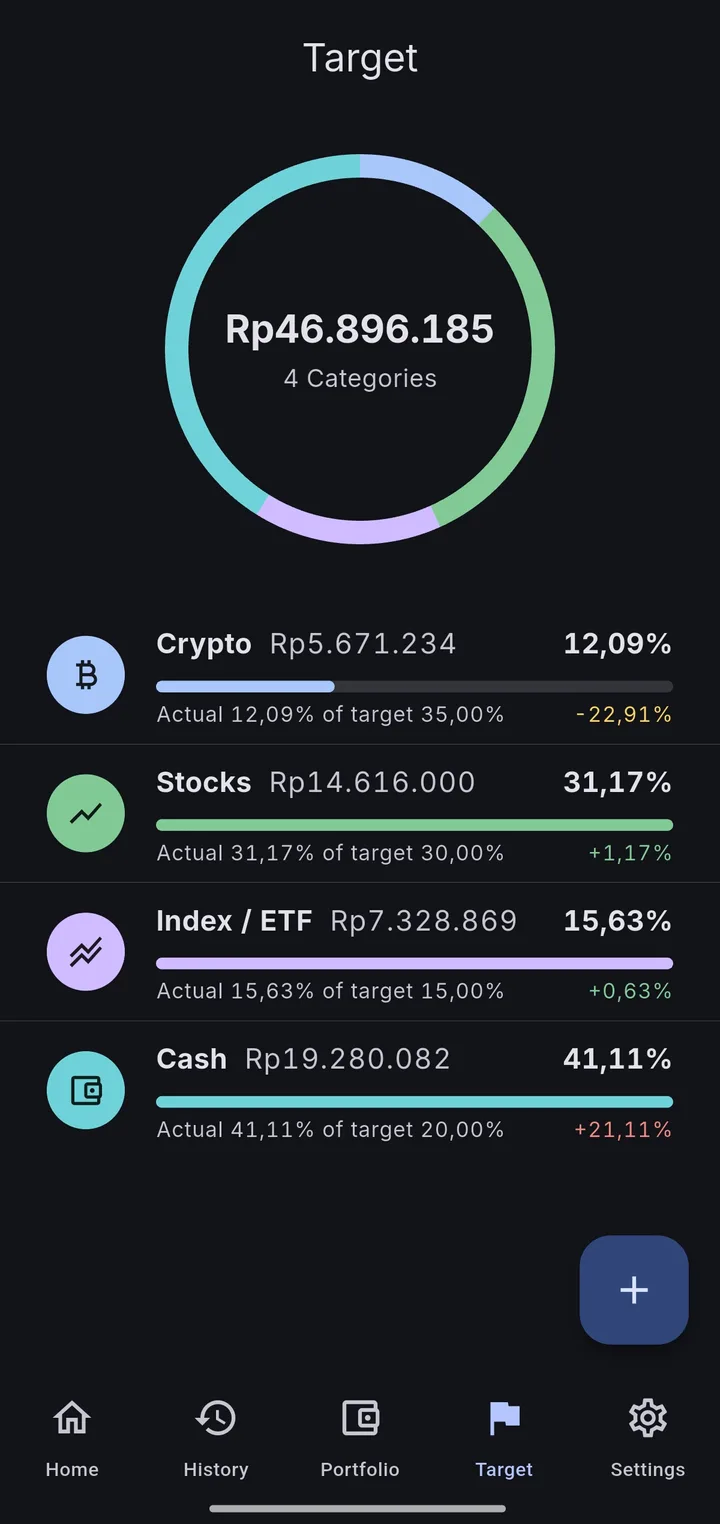
See when your allocation drifts 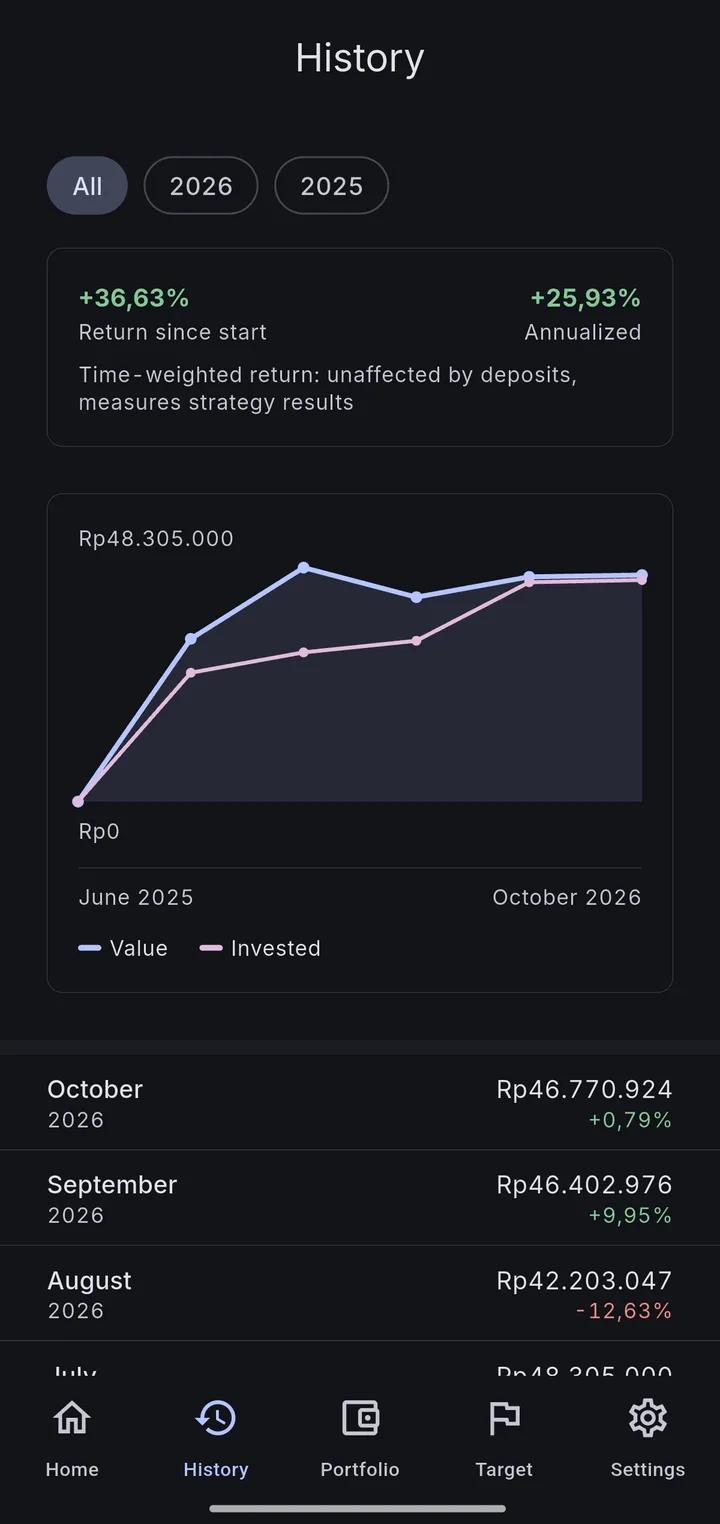
Returns that deposits don't skew 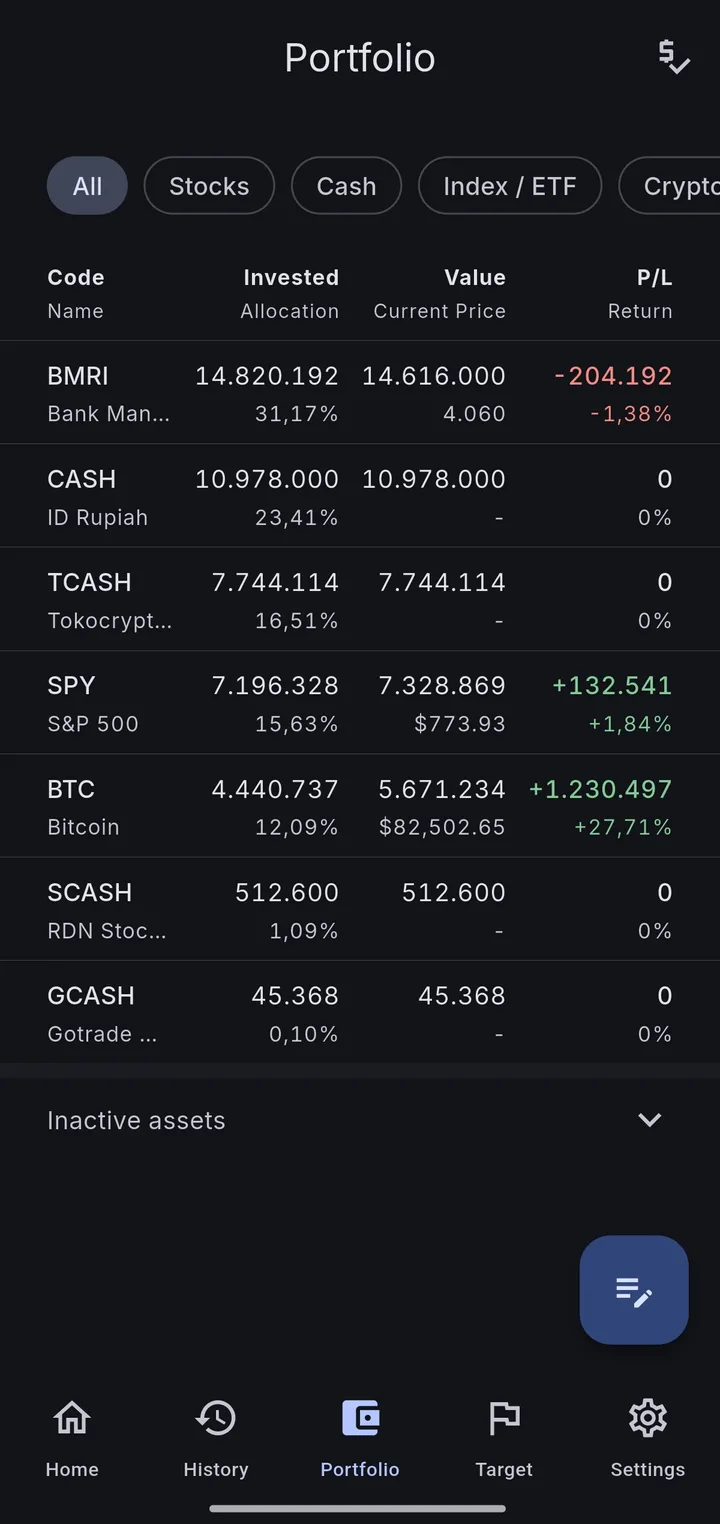
Every holding with its profit and loss 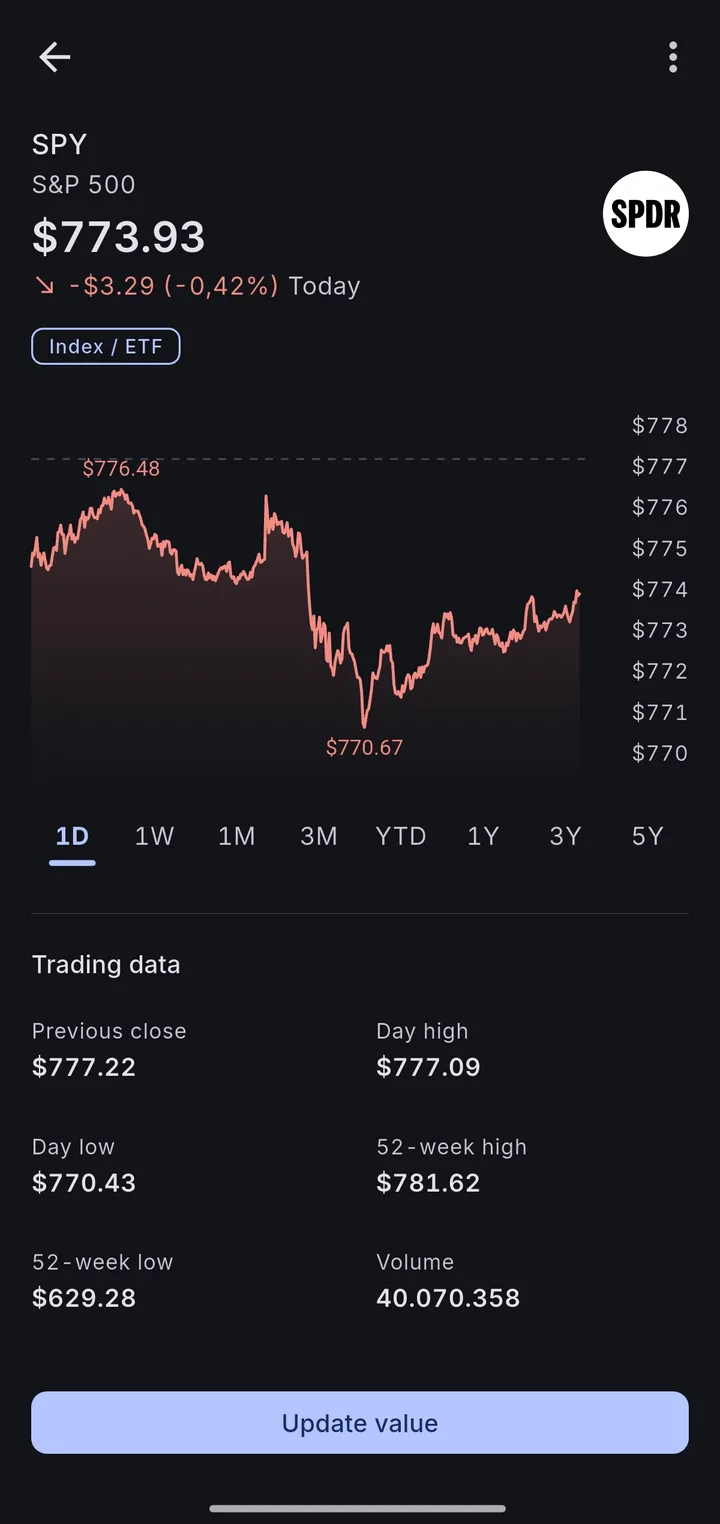
Market prices from Yahoo Finance
Pakaya keeps track of what you own (stocks, mutual funds, crypto, cash) without sending your portfolio to anyone's server.
What it does
- Shows total value, invested capital, and how your money is split across categories on one dashboard.
- Groups assets and holdings by category, such as Indonesian stocks or cash in the bank.
- Records each asset's value once a month, and fills in market prices from Yahoo Finance where it can.
- Charts your portfolio's history month by month.
- Lets you set a target allocation per category, so you can see when it's drifted.
- Backs up to your own Google Drive, in a hidden folder only Pakaya can read, and restores from it.
- Works in English and Indonesian.
Why it exists
Most portfolio apps belong to a broker, want a subscription, or keep your numbers on their servers. Pakaya keeps everything in a database on your phone. The only times anything leaves the device are a market-price lookup and a backup to your own Drive.
- Platform
- Android
- Category
- Finance